Line 1
Our Mac
Every robot here plugs into one Mac Studio. Each new robot shares the same machine, so every robot slows down, and when the memory shelf is full no more can start.
In this picture: Done 0 Rework 0Spent $0Each good box —
The page could not load its data files (data.js and layout.js), so it can't show the factory.
Three ways to run AI coding agents
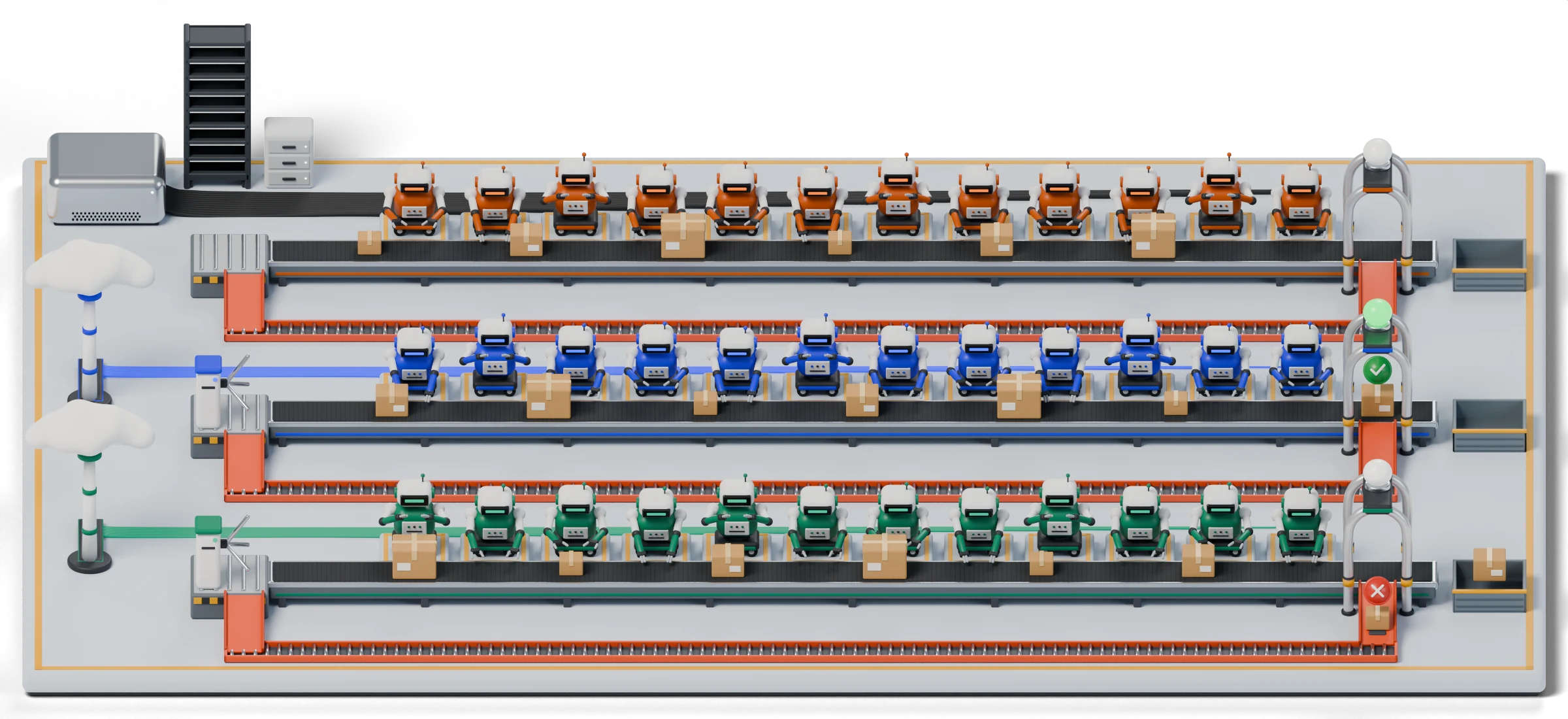
Pick how many robots you want. Then watch what each line does with the same order.
All three lines get the same order. Each box on a belt is one job. The gate checks it: green goes to the Done bin, red slides back for rework.
Line 1
Every robot here plugs into one Mac Studio. Each new robot shares the same machine, so every robot slows down, and when the memory shelf is full no more can start.
Line 2
Line 3
Every box costs money to make, even the ones that fail the check. So each good box also pays for the failed ones.
Each chart runs from 1 to 64 robots. The dashed line marks your order. Red marks show where a line stops growing.
Each test gives agents real coding work and counts how often they get it right. Bars run from 0 to 100%. The badge says who ran the test: the model's maker, or outside testers.
We don't pay for each token. We pay a flat price for accounts, and each account gives a set amount of robot-hours every week. Here is how that works, step by step.
What one robot working for one hour costs. Our subscription prices assume every account gets used up.
Each number below comes from a source or from our own tests. Change any of them and the whole page follows: the floor, the bills and the charts.
Each way of running agents has real strengths. Numbers here follow the settings above.
Each number on this page has a tag like [M1] or [S4]. Tap a tag to jump to its entry here. M means we measured it ourselves.